
The newest generation of our SCHUHFRIED panels has been available since September 2025. It includes the SCHUHFRIED standard panel (SH) and the SCHUHFRIED universal panel (UH). The documentation for previous panels is available in the archive.
The panel you need depends on the tests you want to administer. The use of a panel (SH panel or UH panel) is absolutely necessary for the following tests: COG, DT, INHIB, PP-R, RT, SIGNAL, STROOP, SWITCH, VIGIL, WAF, WAFV, ZBA.
If you also want to test eye-hand coordination with the 2HAND and SMK tests, the universal panel (UH) is required.
All other tests in the VTS do not require a panel. However, many tests can still be administered using the panel to avoid switching input devices (e.g., from a PC keyboard to a panel).
Scope of delivery
-
1 panel, standard (SH) or universal (UH)
-
2 joysticks (only with UH panel)
-
2 joystick guides (only with UH panel)
Standard panel (SH)
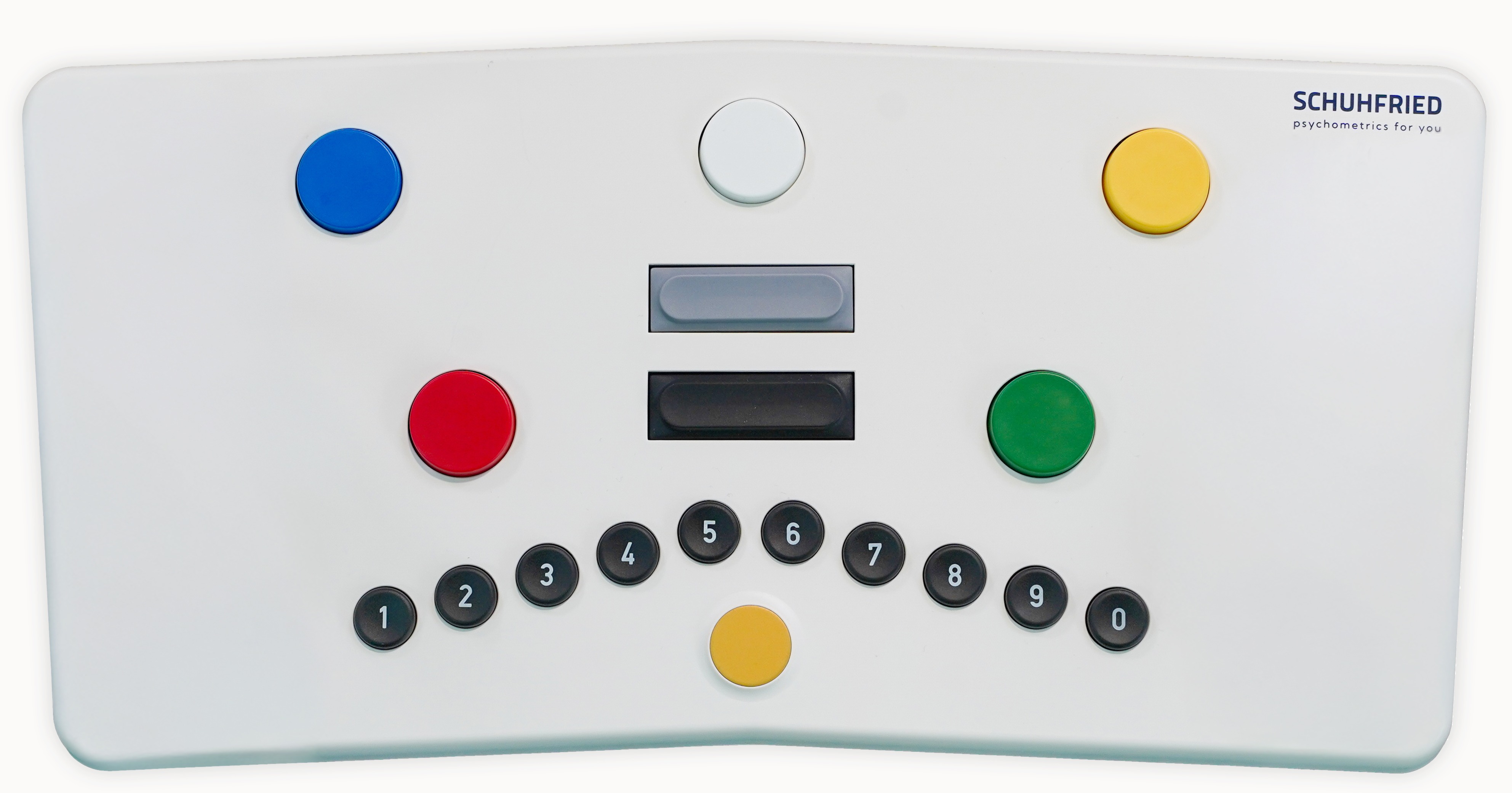
-
7 color keys, 10 number keys, 1 sensor key
-
Connection options for foot-operated keys
-
Connection options for foot pedals - analog
-
Sound generator (speaker)
-
Connection option for headphones
Universal panel (UH)
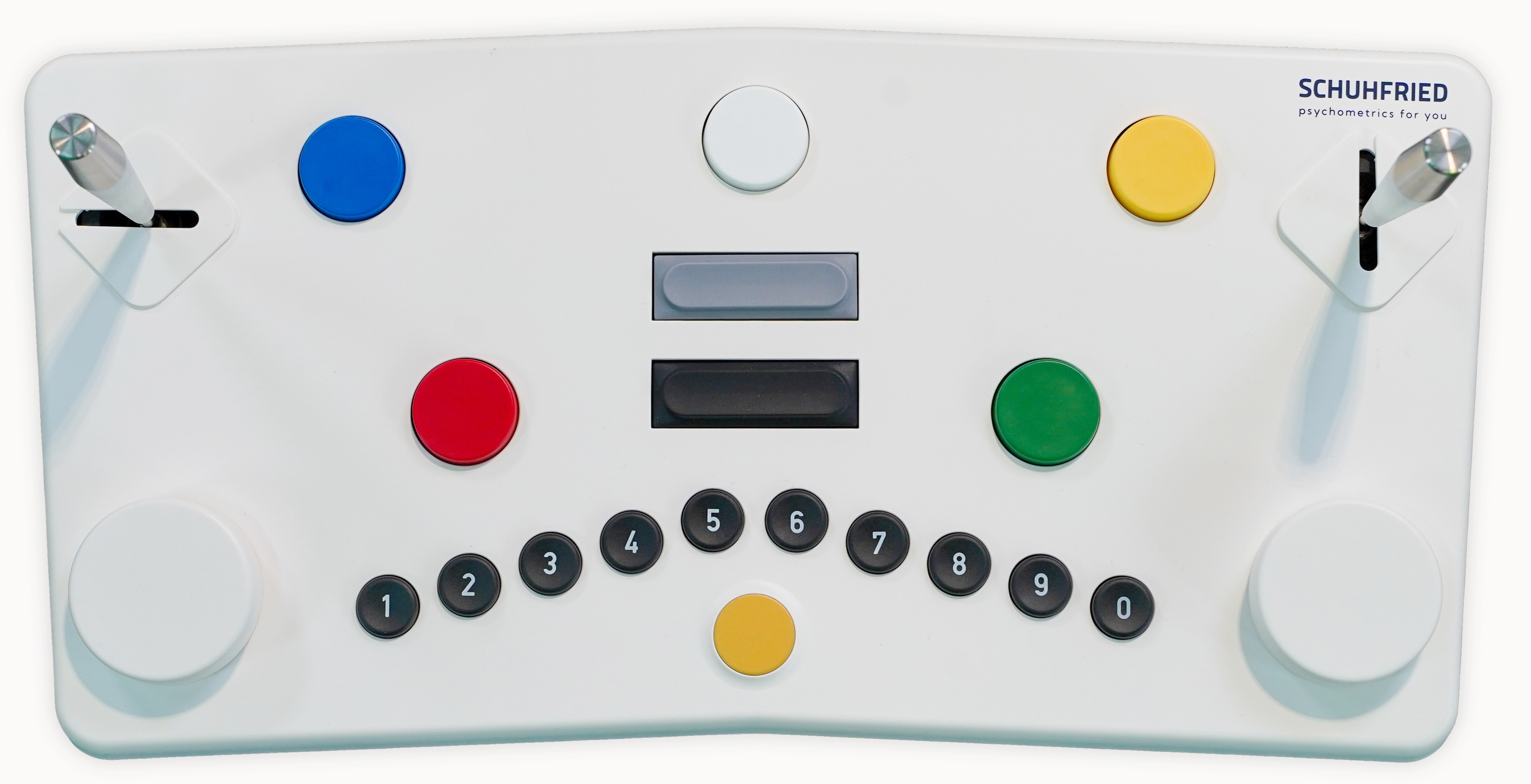
-
7 color keys, 10 number keys, 1 sensor key
-
2 control knobs
-
2 analog joysticks
-
Joystick guides
-
Connection options for foot-operated keys
-
Connection options for foot pedals - analog
-
Sound generator (speaker)
-
Connection option for headphones
Commissioning
Use the supplied USB cable to connect the panel to the PC that will be used for testing. The Vienna Test System (or the Testplayer) must be installed on this PC. Connect the USB cable to the USB-C port on the back of the panel and the other end to a free USB-A port on your computer.
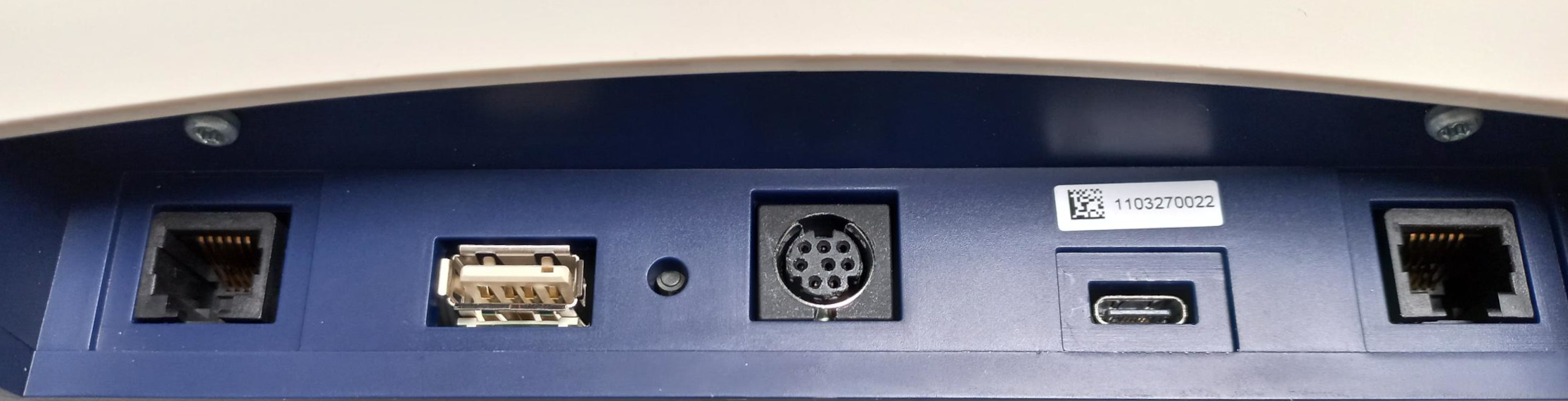
RJ-45 (currently not used), USB-A port, foot-operated keys/foot pedals, USB-C port, RJ-45 (currently not used)
The USB-C port must be used for power supply. Using the USB-A port for power supply is not possible.
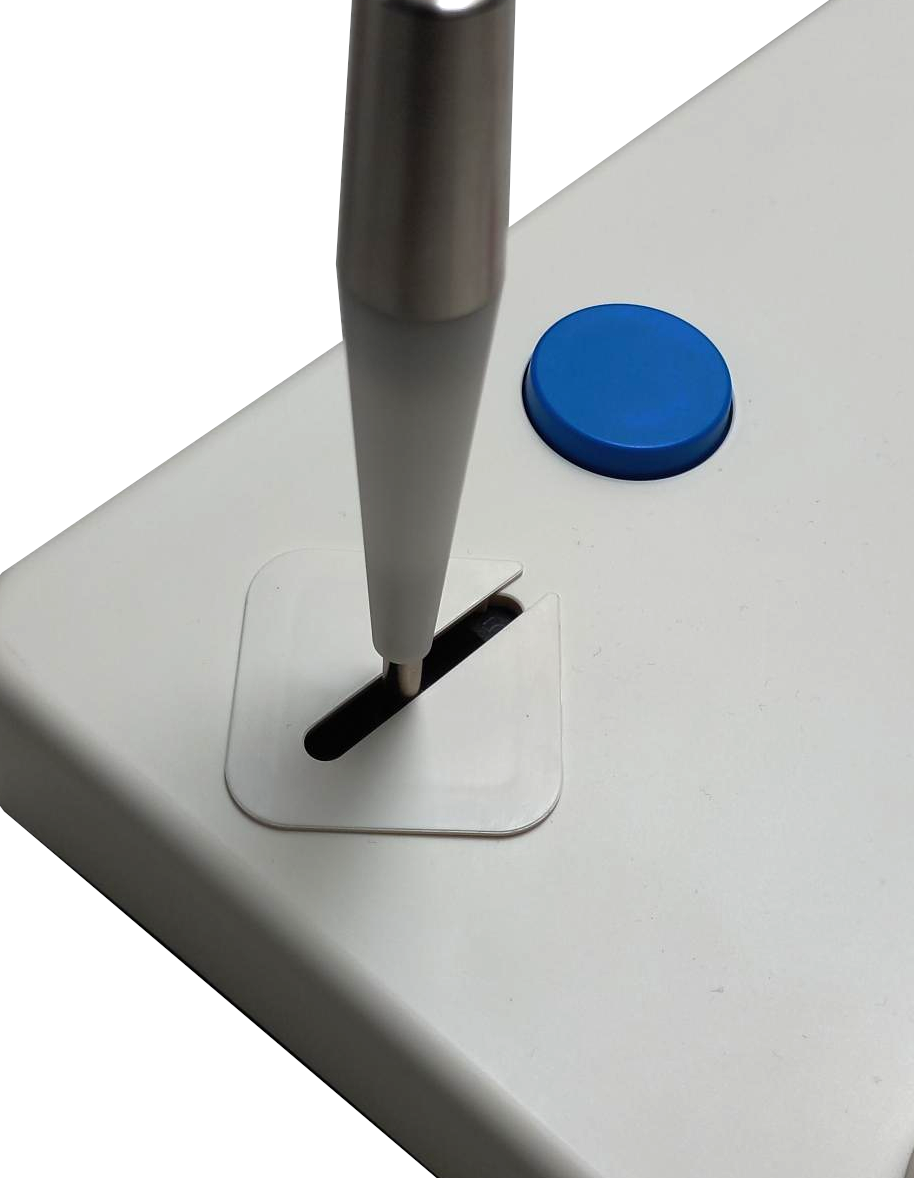
Joystick guides
The joystick guides are attached to the UH panel as shown. The joystick can be removed to make installation easier. Joystick guides are required for administering the SMK and 2HAND tests. Please refer to the test manual for details on the correct placement of the joystick guides in each test.
Sound output
The panel can output sound through the internal loudspeaker or through a headset (available as an accessory). The headset can be connected to the panel using the USB-A port. You can also use a USB headset by connecting it to a free USB port on the computer. Use the Windows sound output settings (in the task bar) to select the output device you want to use:
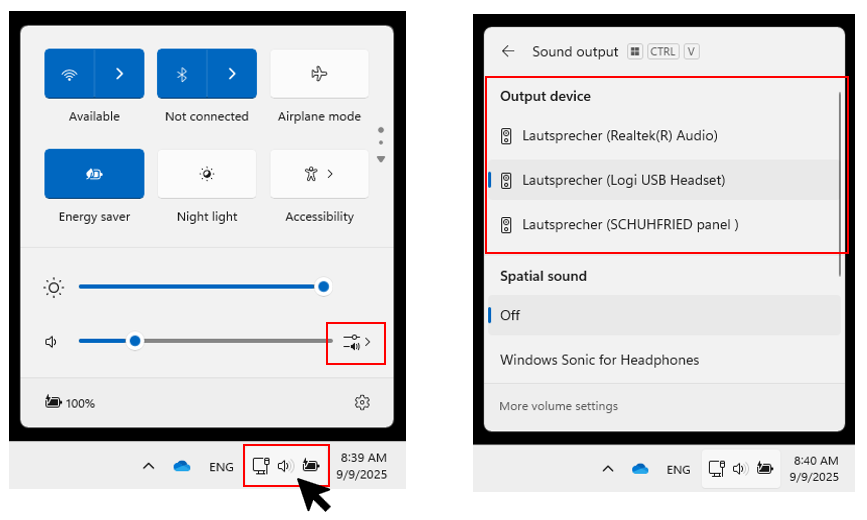
When a USB headset is connected to the panel, it must also be selected as the output device in the Windows sound output settings.
Foot-operated keys and foot pedals
Foot-operated keys or foot pedals (available as accessories) can be connected via a single connection port. Connect the foot-operated keys or foot pedals as required.
Specifications
Specifications
|
Value |
|---|---|
|
Power supply |
+5V DC via the USB cable |
|
Power consumption |
max. 500mA |
|
Protection class |

|
|
Device type |
B |
|
Max. USB cable length |
3m |
|
Max. headset cable length |
3m |
|
Max. dimensions (W/H/D) |
41 x 4 x 20cm |
|
Weight (without accessories) |
1,25 kg |
|
Storage temperature |
-20 to 60°C |
|
Operating temperature |
10 to 30°C |
|
Relative humidity |
max. 70%, non-condensing |