
Description
Test results cannot be printed. This may be due to the Windows feature Microsoft XPS Document Writer not being enabled.
Troubleshooting
Enable Microsoft XPS Document Writer:
-
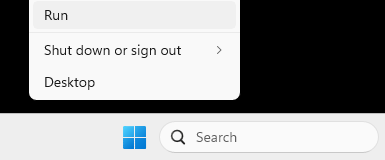
Right-click on the Windows icon in the taskbar and select Run.
-
Enter
optionalfeaturesand confirm by clicking OK.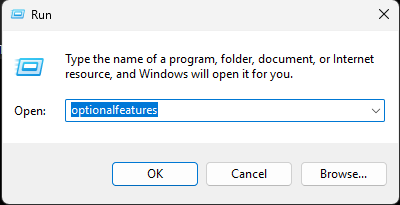
-
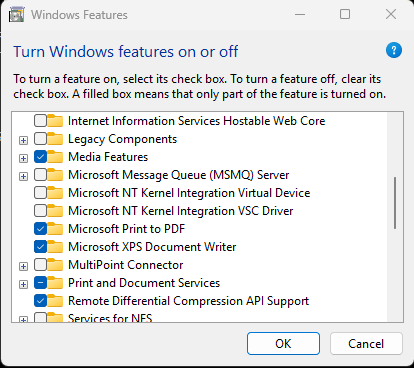
In the window that opens, enable the option Microsoft XPS Document Writer and confirm by clicking OK.
-
Restart the PC.