
This chapter provides practical information that should be taken into account before and during testing.
Where to find SFS Test Solutions
You can find SFS Test Solutions on the VTS homepage.
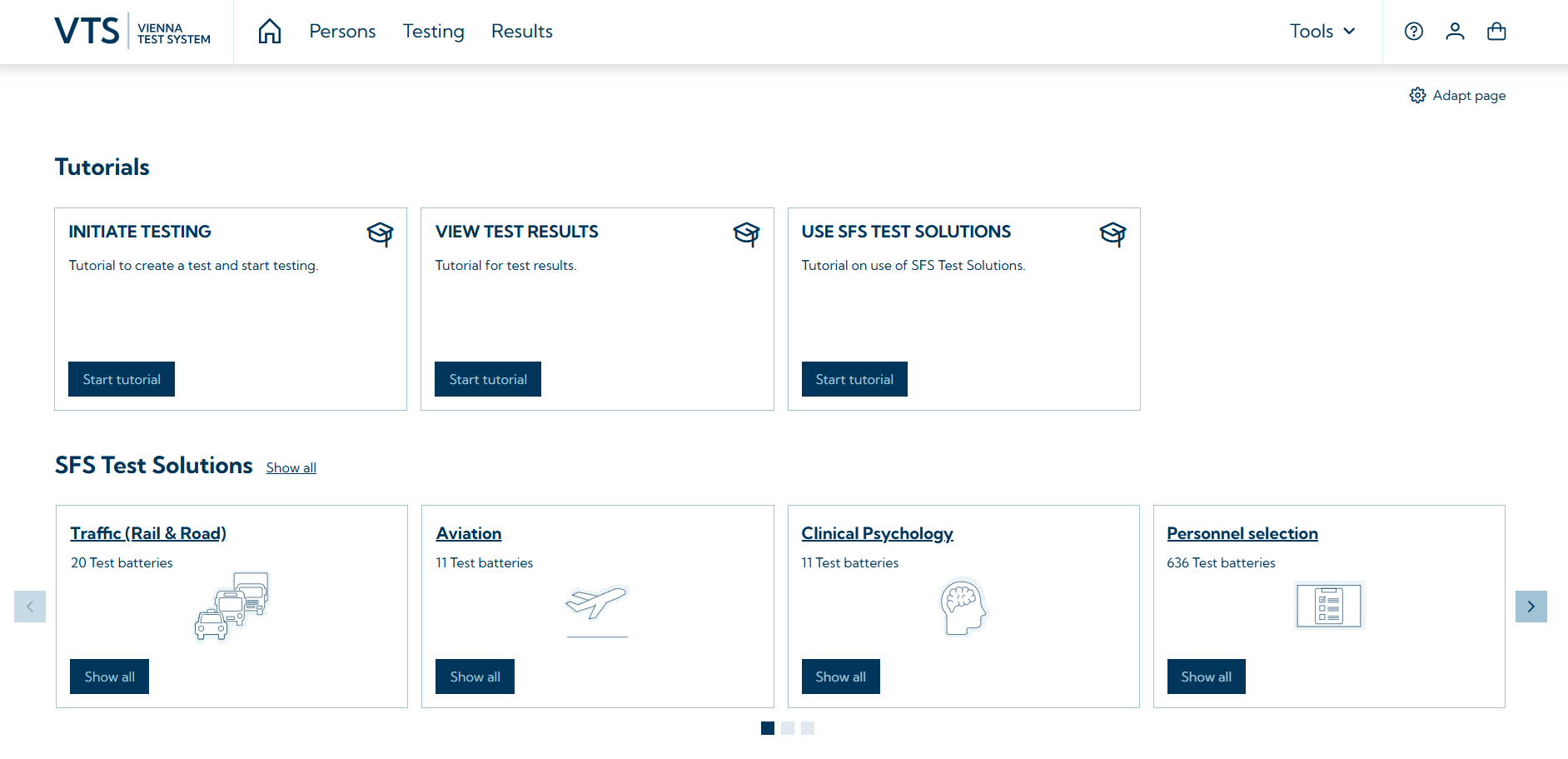
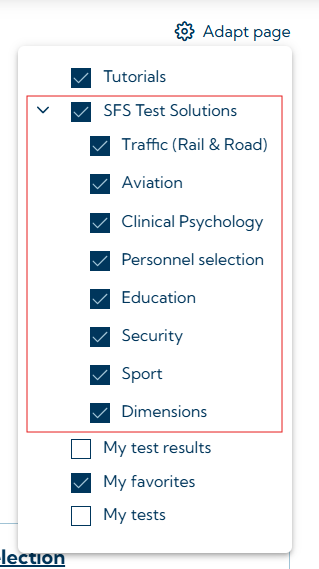
You can freely configure which application areas are to be displayed by clicking on adapt page. Similarly, the entire SFS Test Solutions area can be hidden or displayed.
You can access the SFS Test Solutions page in VTS via Tools → SFS Test Solutions.

The SFS Test Solutions page is shown below.
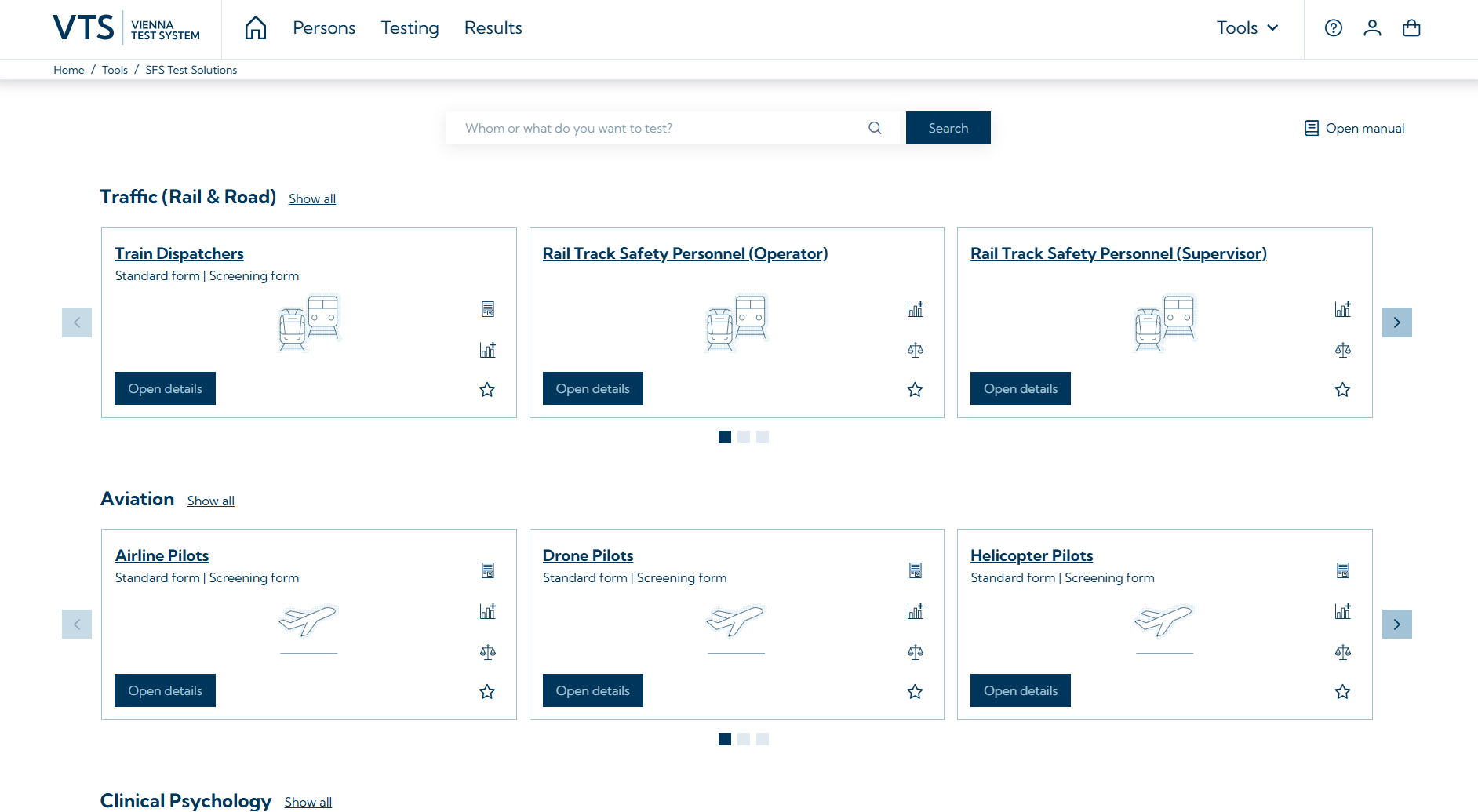
How to select a test solution?
At the top of the page, you will find the search function, which you can use to search for job titles, questions or dimensions. If you click on Search without entering a search term, or if you click on Show all for an application area, e.g. next to traffic (rail & road), you will be taken to an overview of all available content. You can filter this content by application area (the filters are located at the top; in the example, the filter All is selected).
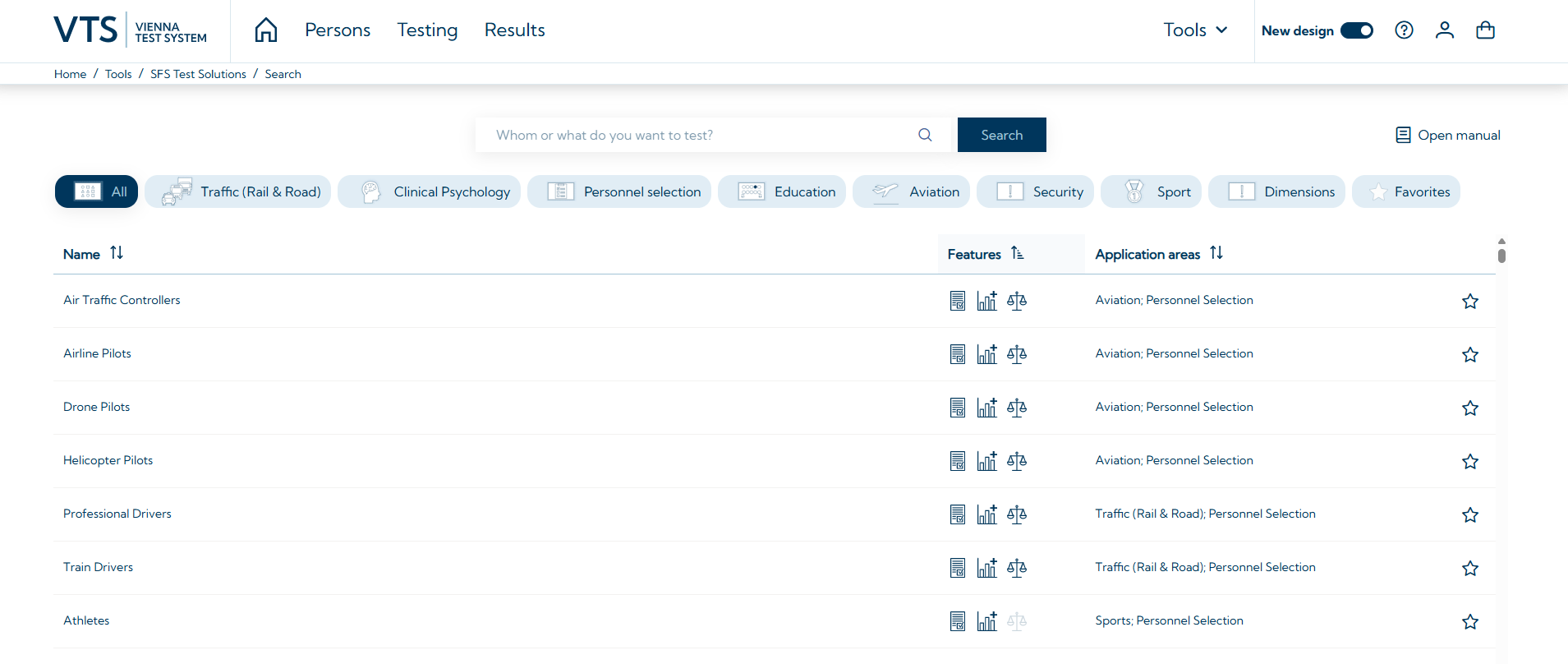
Once you have found a test solution, you can view further information by opening it (via Open details or by clicking on the respective entry in the list). The detailed view provides further information, such as a description and the supported languages.
The example below shows a detailed view of the test solution for professional drivers. You can see all the dimensions that are measured, how long the testing takes approximately, and whether additional hardware is required to perform the testing. Some test solutions offer alternative forms or variants. In the example of the Test Solution for Professional Drivers, these are a form for left-hand traffic and a screening form. Further information can be found in the section application.
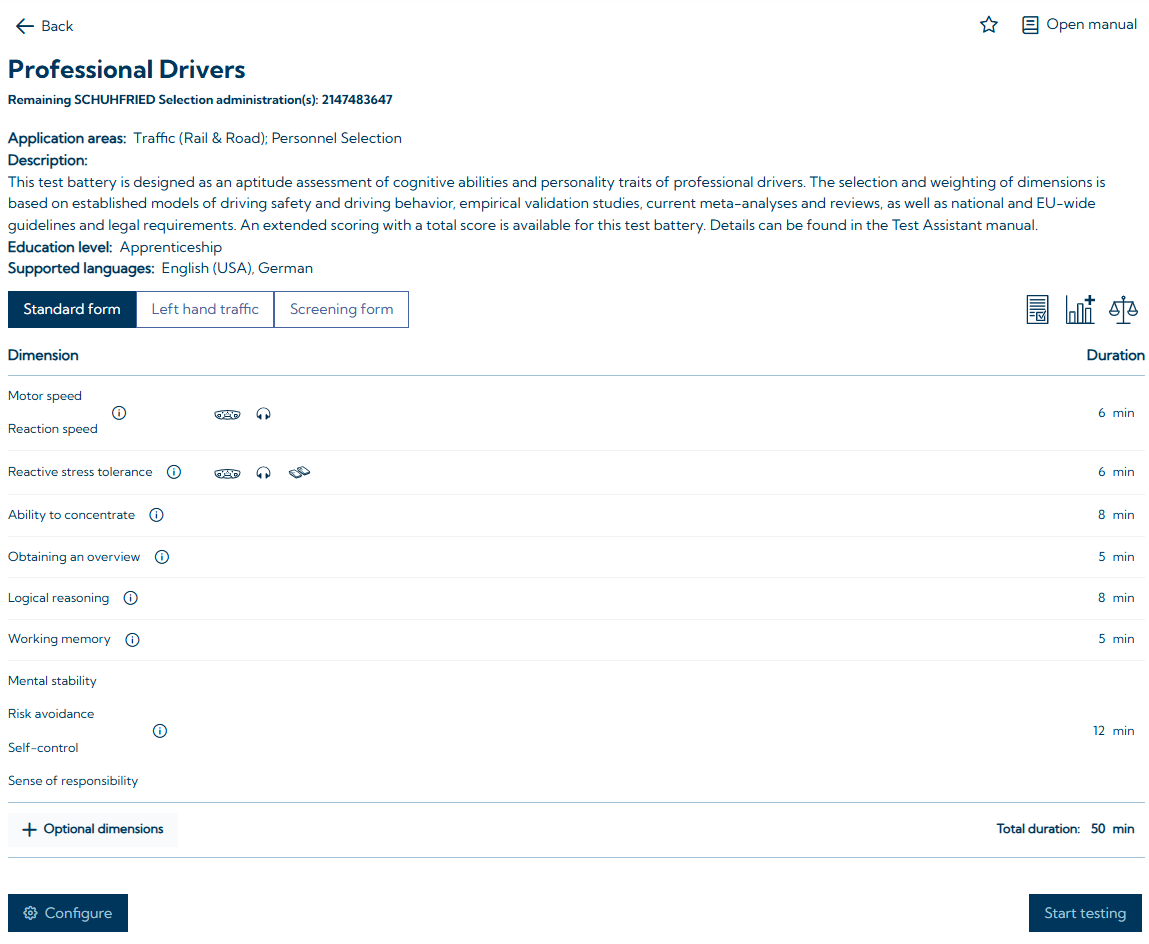
Each SFS Test Solution is also marked with three icons that indicate whether the test solution has additional features. These can include in-depth scientific research or empirical analyses for the selection and weighting of the dimensions included, the consideration of legal or professional regulations, or an extended scoring. The table below shows what the icons mean. These icons assist users in selecting the appropriate test solution.
|
ICON |
Description |
|---|---|

|
Test solutions marked with this icon take application-specific legal or professional regulations into account when selecting dimensions. |

|
Test solutions marked with this icon take empirical analyses and/or scientific studies into account when selecting and weighting the dimensions. |

|
Test solutions marked with this icon include extended scoring in the form of an overall score, which represents the test taker's fit to an ideal profile. |
If a test solution does not have an icon, it is based solely on a requirements analysis.
Mark test solutions as favorites
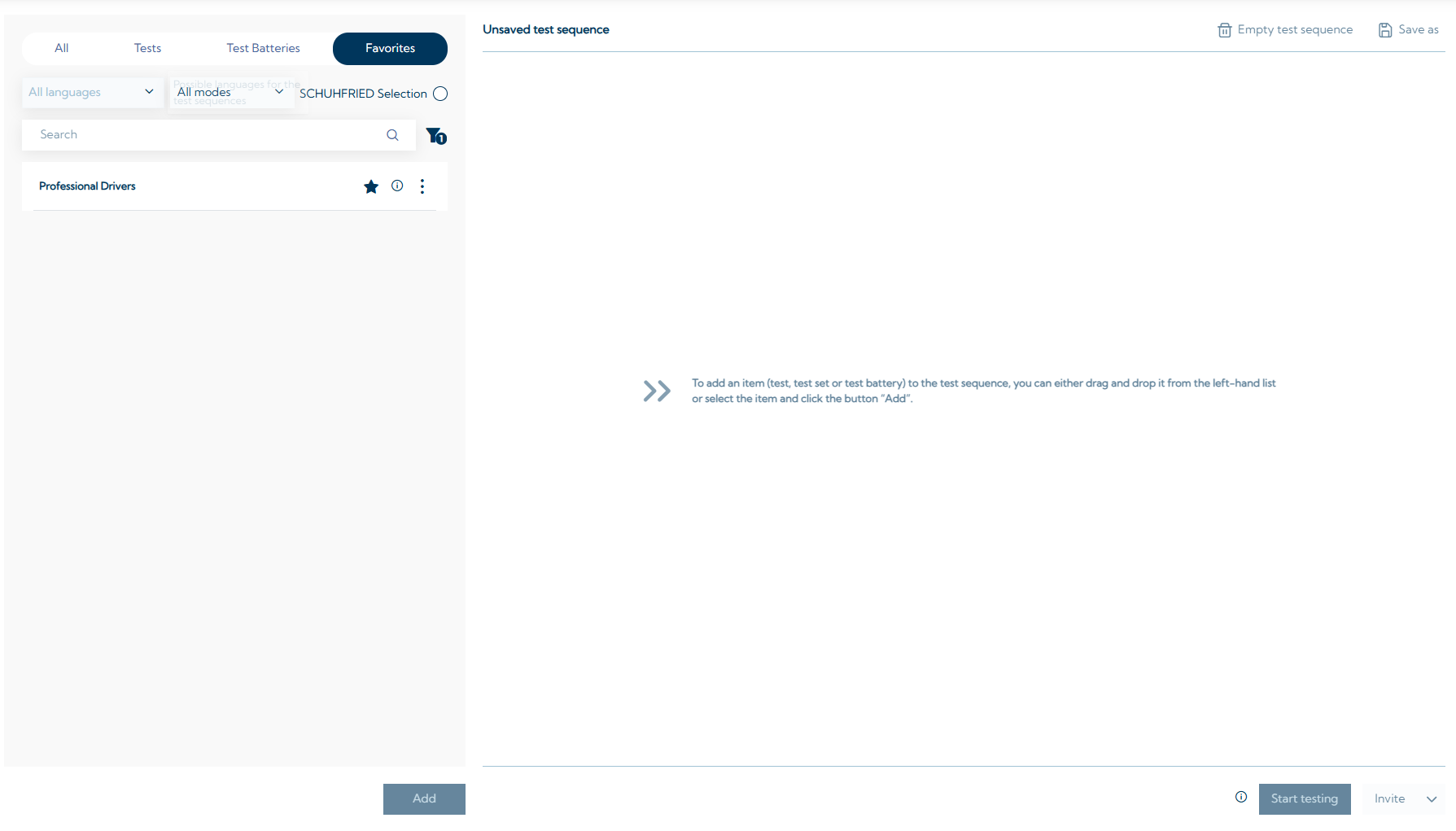
Test solutions can be marked as favorites by clicking on the star icon ( 
Before testing
When inviting test takers, it should be announced that standardized tests are part of the process. The objectives of the testing should be briefly explained, e.g., that testing is a way to objectively assess important skills for the respective profession. Furthermore, the invitation should briefly mention what content the candidates can expect and that the data will be treated confidentially.
A test solution, i.e. the specific test sequence, has already been optimised in terms of the variation of the test content and a meaningful sequence of the individual tests. This is to ensure that the test taker switches between different types of tasks. This reduces fatigue and promotes motivation. If the pre-configured test battery of the SFS Test Solution is modified (parts of the battery are shortened or replaced by other tests), the user should independently ensure a meaningful test sequence. For example, it is advisable not to administer attention tests at the end of a long test battery unless the question is specifically aimed at this (e.g. to check whether someone still has a high level of attention performance after several hours of testing). When using test batteries, care should also be taken to ensure that sufficient breaks are scheduled. For performance tests, it is recommended to schedule a break of at least 10 minutes after approximately two hours. All test batteries from SFS Test Solutions have a test duration of less than or just over two hours and can therefore be administered without additional breaks.
Before the actual testing is carried out, optimal conditions for testing should be created, such as a comfortable seating position, adequate lighting, and a quiet test setting. The objectives, content, and duration of the testing should be explained to the test taker once again. Test takers should be instructed to read the instructions carefully, work independently, and refrain from asking the test administrator any questions during the test. It should also be pointed out that all necessary instructions will be provided on the screen. Finally, candidates should be informed about data security. Please also consider the information given in the section Testing.
Application
The tests are designed so that they can be completed independently by the test taker. The language in which the test is presented can be set before the session begins.
Hardware
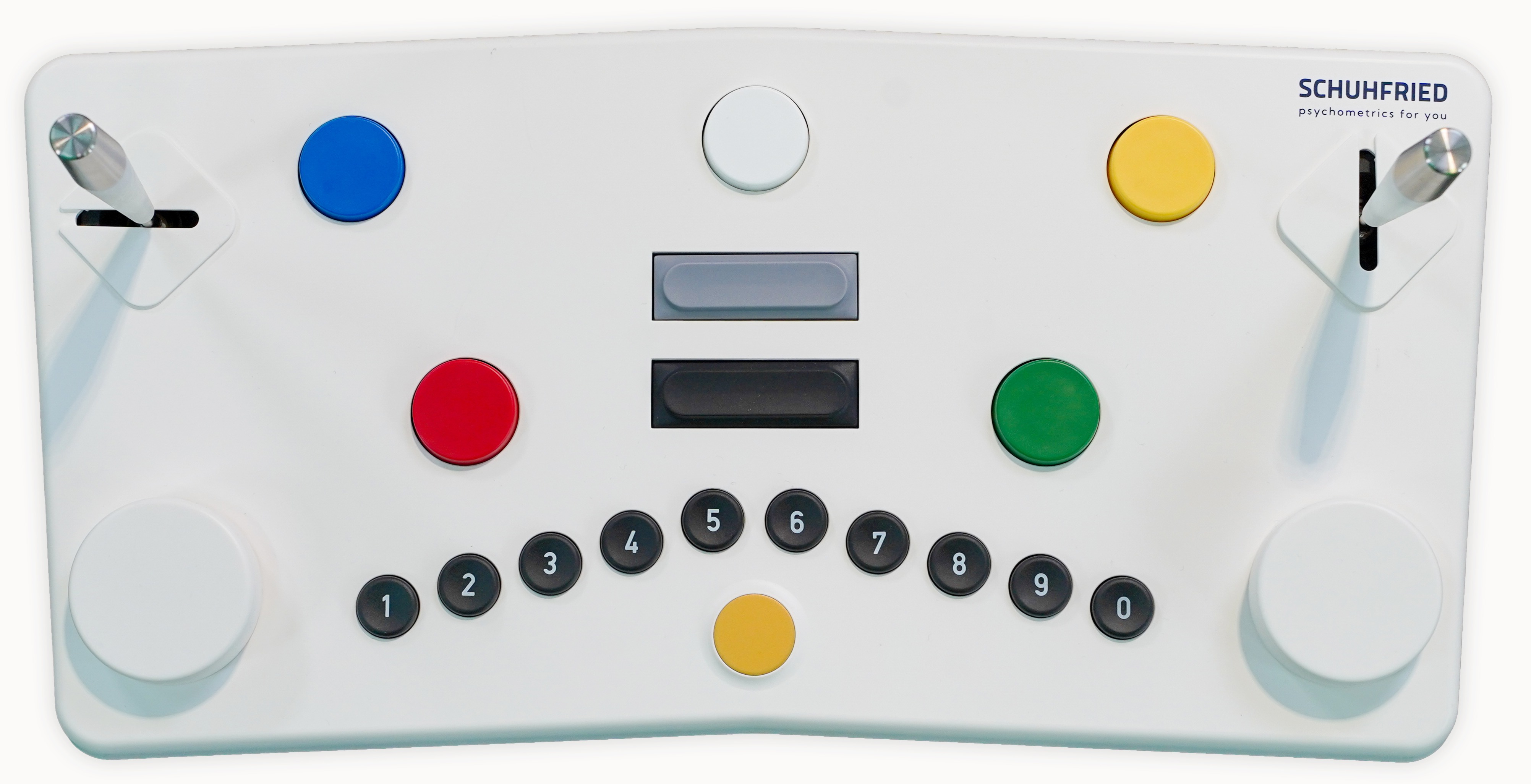
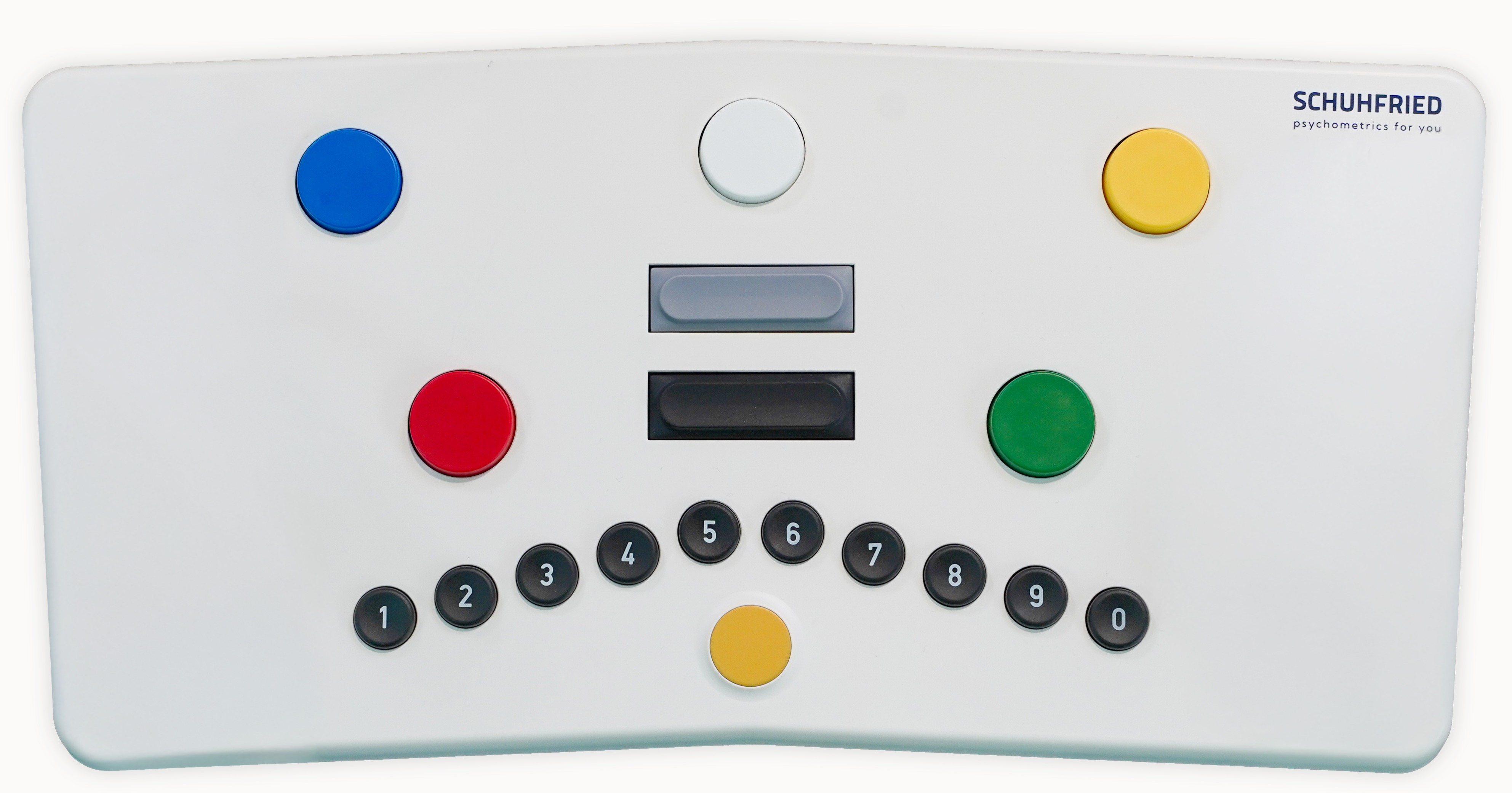
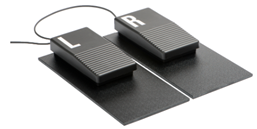
Some test batteries require SCHUHFRIED in- and output devices in order to assess all relevant dimensions (see: Peripheral devices for more information). These include, for example, the SCHUHFRIED panel or foot-operated keys (illustrations of these devices can be found in the table below). These are necessary for millisecond-accurate measurement, as required for assessing reaction times. Ifyou are unable or unwilling to use these devices, many test solutions offer the option of switching to a form without input devices.
|
In- and output devices |
Icon |
In- and output devices |
Test |
|

|
Universal panel |
2HAND, RT, DT, COG, VIGIL, STROOP, SIGNAL |
|

|
Standard panel
|
RT, DT, COG, VIGIL, STROOP, SIGNAL |
|

|
Foot-operated keys |
DT |
|
|

|
Headphones |
RT, DT |
Screening Forms
Some test solutions include a screening form that also does not require any input devices. The screening forms have been compiled in such a way that the dimensions contained in the standard forms are covered as comprehensively as possible. To keep the duration of the test to a minimum, only the most relevant dimensions are taken into account.
The screening forms should meet the requirements for multi-stage selection processes (e.g., IATA, 2019) in accordance with recommendations for personnel selection (DIN 33430 and ÖNORM D 4000). It is recommended that time-saving and resource-efficient methods be used for all applicants in the early stages of a selection process so that time-consuming and resource-intensive methods can be applied exclusively to a selected talent pool at a later stage (Martinussen, 2017) .
While the first step in such a selection process often involves clarifying the formal requirements for the profession with the help of questionnaires or resumes (CVs), relevant performance and personality dimensions can also be recorded at this stage in order to make pre-selection more efficient within the framework of a screening process (see, for example, IATA, 2019).
This is precisely the goal to be achieved with the use of screening forms, by excluding unsuitable applicants at an early stage of the selection process. This saves the user the often time-consuming psychometric testing with extensive test batteries, comprehensive interviews, assessment centers (AC), or simulator testing with all persons in the recruitment pool.
For this purpose, all screening forms can be used for open mode testing. This means that invitation links can be created and the test takers can do the tests unsupervised, for example at home and on their own devices (smartphones, tablets, pcs). See the section start testing (see: https://schuhfried.atlassian.net/wiki/spaces/Docs/pages/3945955351/8.30-en+Notes+on+administration#Start-testing).
Individuals who meet the relevant formal criteria and achieve suitable results in the screening process can then undergo a more detailed psychometric examination with further tests. However, screening does not replace this detailed examination using an extensive standardized test battery but is intended to serve as an economical and valid decision-making aid for the preselection of applicants.
For the following test solutions screening forms are available: Air Traffic Controllers; Airline Pilots; Athletes; Captains, Mates, and Pilots of Water Vessels; Drone Pilots; Forklift Drivers; Helicopter Pilots; Military Aptitude; Military Aptitude - Technical Occupations; Military Special Forces; Professional Drivers; Team Athletes; Train Dispatchers; Train Drivers; Young Athletes
Start testing
There are various ways to start testing. Depending on which test is included in the Test Solution, the test administrator has various options to choose from:

Start testing
Start testing directly on the computer. The settings specified in the VTS for performing the tests will be applied (see also VTS - First Steps).
Invite
Allows you to send test takers a link via email (Invitation links), which they can use to start testing on their device. Once the testing is complete, the test results can be accessed in the VTS. This allows testing to be carried out independently of time and location, offering maximum flexibility. This is only possible if all tests in the test solution can be run in open mode (see Testing modes | Open mode).
Proctoring
During proctoring, the test supervisor has the option of supervising the testing using appropriate technical measures (e.g. video monitoring). The necessary conditions and technical requirements must be created by the test administrator. This test format also enables location-independent testing in a responsible, secure environment in accordance with legal requirements. According to DIN 33430, unsupervised testing should only be used for screening purposes – i.e. solely to eliminate candidates who do not meet the requirements. The proctoring testing mode offers a DIN 33430-compliant alternative for decisions in aptitude testing, allowing tests to still be used online (see also Testing modes | Proctored mode).
Configure
If you want to make adjustments to the test solution, the configure button (see figure above) takes you directly to the testing tab in the VTS. Here you will find detailed information about which (sub)tests are used and which specific settings have been set. In this view, you can remove (sub)tests from the battery or add them to other tests.
Please note that once changes have been made to the test battery, you will no longer be able to generate a joint evaluation. In this case, the results will be output as individual test evaluations (one page per test).
Viewing the test manuals
After clicking on configure, you also have the option of viewing the manuals for the individual tests included in the test solution. To do this, click on the 3 dots to the right of the test duration and then on Open Manual (see figure below).

Add dimensions
For all predefined test solutions, it is possible to add further dimensions to the test sequence.
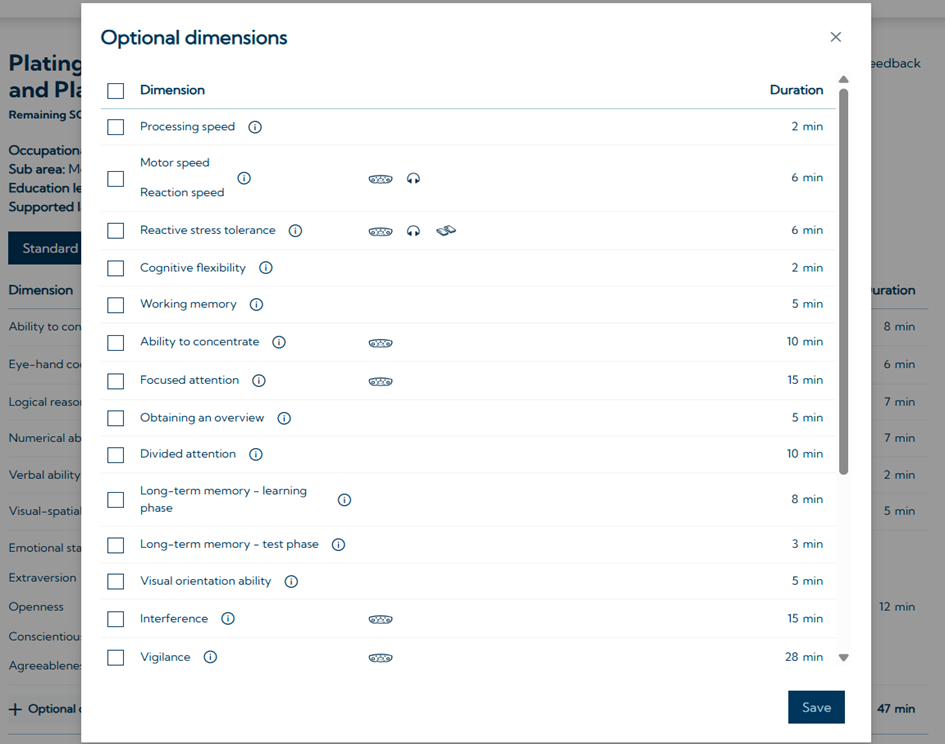
You can choose from all tests in the SCHUHFRIED Selection that are not already included in the original test solution. Please note that the drop-down list adapts to your initial settings. If you have selected a test solution without input devices, only tests that do not require input devices will be displayed in the drop-down list. Switch to the standard form first, if you want to see all available additional dimensions.
Testing individual dimensions
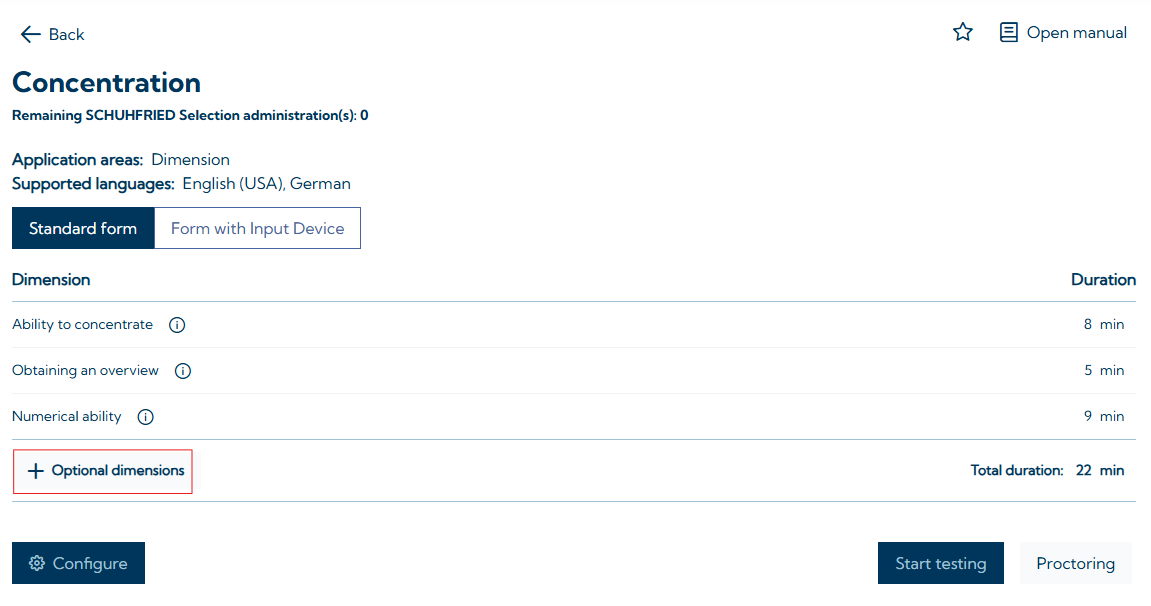
With SFS Test Solutions, it is possible to perform a search for individual dimensions and add them individually to the test sequence. This means that users can search specifically for skills such as logical reasoning, working memory, or reaction speed using the search bar on the home page. All performance dimensions can be added to the test sequence as individual dimensions. For personality, it is possible to record either the personality structures according to the Big Five (emotional stability, extraversion, conscientiousness, agreeableness, and openness) or traffic-related personality (psychological stability, self-control, sense of responsibility, and risk avoidance). However, the test paradigm only allows for specifications at the test level. If emotional stability is to be tested, all other personality factors of the Big Five are also output. The same applies to traffic-related personality.
You can also create custom test sequences from multiple individual dimensions. To do this, select a dimension and add further relevant dimensions to the test sequence via Optional Dimensions:
Adding Additional Tests to a Test Solution
It is possible to add tests to a Test Solution that are not part of the SCHUHFRIED Selection (SFS). However, there are a few points to keep in mind:
-
The cross-test joint results report (see: Notes on evaluation and interpretation) will in this case only work for the tests included in the test solution. The added test must be interpreted separately using its individual scoring.
-
Additional licenses are required for the added tests in order to be able to administer them.
References can be found here: Literature