Permanent test links can only be used with a VTS Direct Start license.
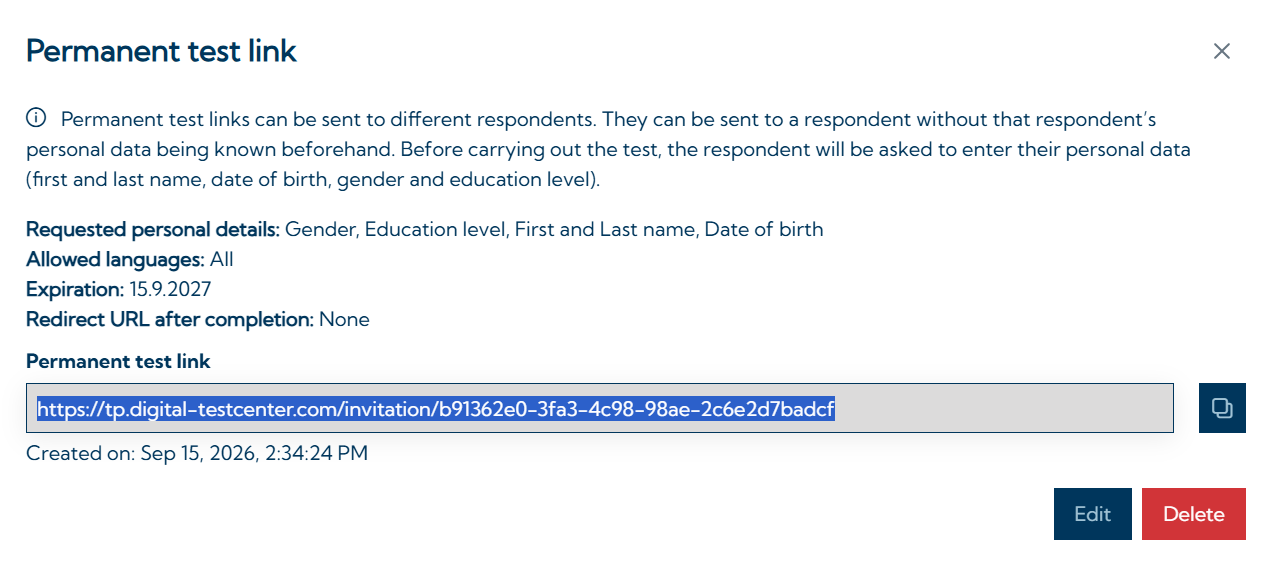
Permanent test links are non-personalized links for administering test batteries. By clicking on the link, test takers can create a new person in the system by entering their personal data. In addition, it is possible to configure the permanent test link so that no personal data must be entered (testing anonymously). The test battery connected to the link starts automatically.
Creating a permanent test link
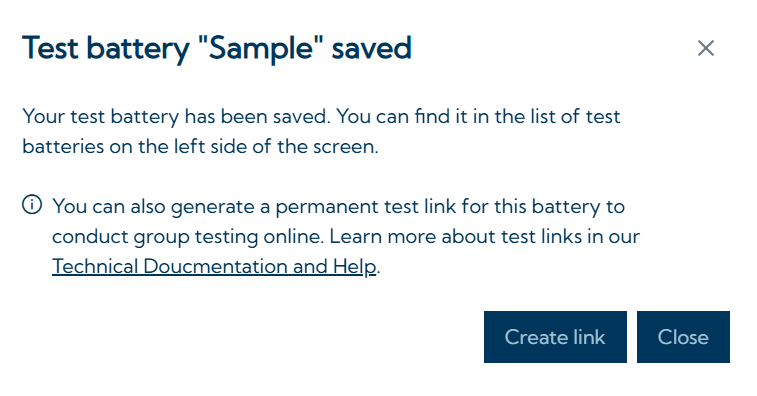
To create a permanent test link, the connected test battery must first be created. Once it has been saved, a dialog opens allowing you to create the link.
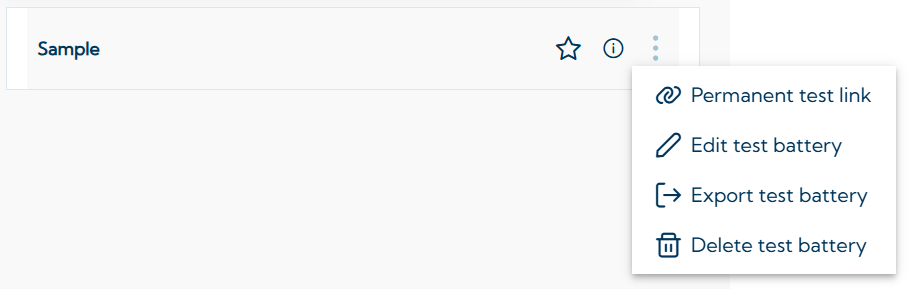
If the test battery has already been created, the permanent test link can also be created at any time by clicking the three-dot icon 
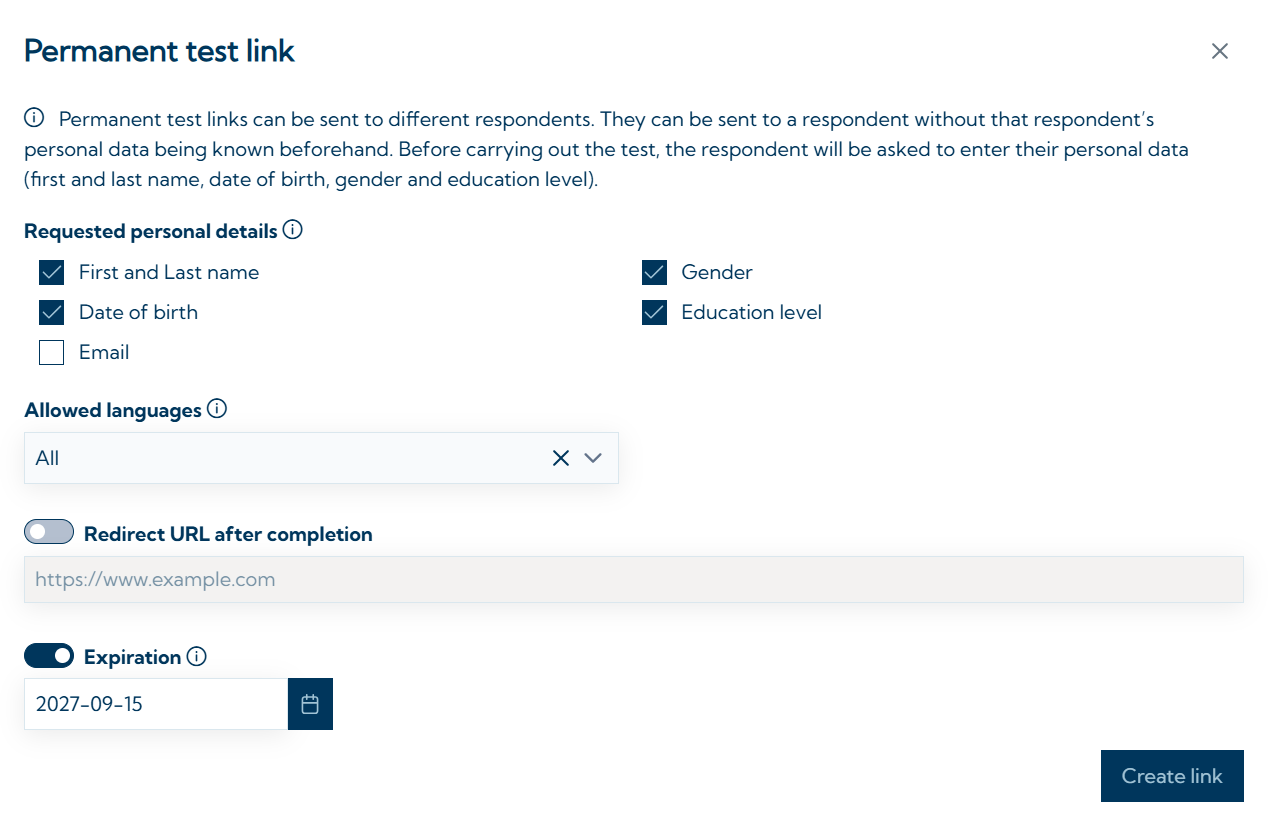
The permanent test link can then be configured. You can select the personal details that the test taker must enter when starting the test. It is also possible to deselect all options, allowing fully anonymous testing. In this case, default values will be used for first and last name and the date of birth. You can also set, which languages are allowed for the testing. In addition a website URL to which the test taker should be redirected after completing the test, and an expiration date for the test link can be set.
Clicking Create link creates the permanent test link.
Invitation links can only be created if every test in the test battery is available in open or proctored mode (see Testing modes).
Editing or deleting a permanent test link
Once a test link has been created, it can be edited or deleted at any time by clicking the three-dot icon