
Checking available licenses
-
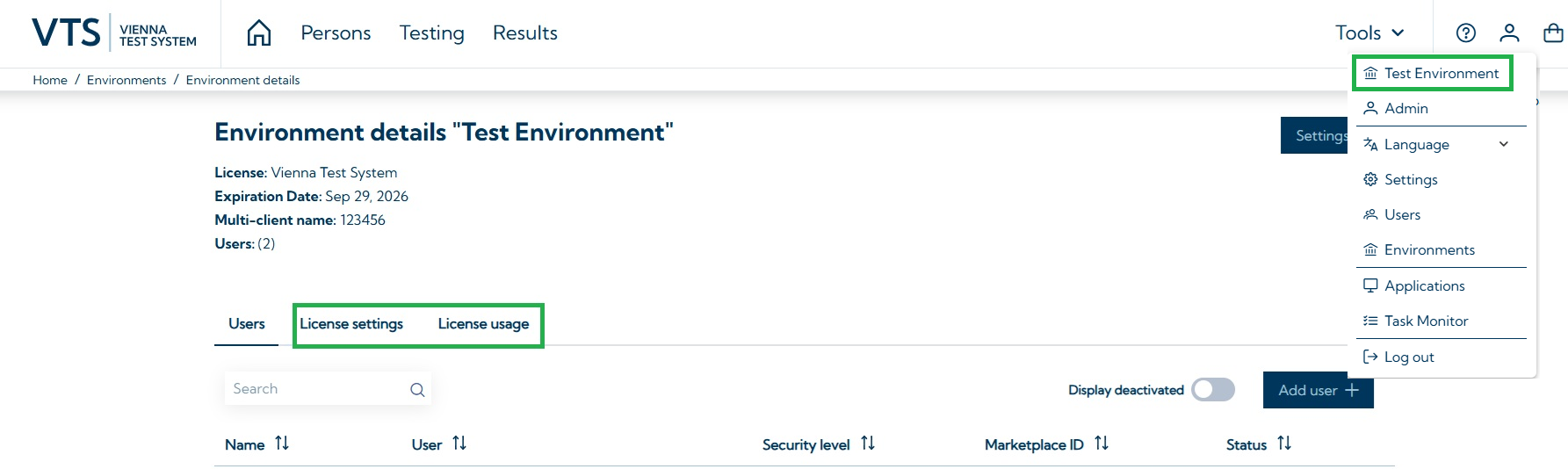
Open Environment details page (see screenshot below)
-
Navigate to license settings
There you can see all remaining licenses, including:
-
Test licenses: remaining licenses for individual tests, test sets, and the SCHUHFRIED Selection (SFS)
-
Report licenses: remaining licenses for Premium Reports
-
System licenses: details on licenses for the VTS Admin Client, as well as the number of concurrent users, the license for direct testing, the number of online invitations, your open access license, the license for permanent test links and the licenses expiration dates.
Checking license usage
-
Open Environment details page
-
Navigate to License usage
-
Define the time period to display consumed licenses
Information on how to install licenses can be found on the page Install licenses. Licenses can be purchased on our Marketplace.