
To ensure that the panel and its peripheral devices, such as foot‑operated keys or foot pedals, are functioning properly, the Vienna Test System provides a test called the VTS Hardware Test.
VTS Hardwaretest
You can find the VTS Hardware Test in the menu under Applications. To start the VTS Hardware Test, click on the Apply button there.
Please ensure that the panel is connected to the computer before clicking on Apply.

On the left side of the screen, you will see a menu at the top with various sections/test items (e.g., General, Color and number buttons, Audio output, etc.). The section you are currently working on is highlighted in light blue. You can jump directly to the other sections at any time by clicking on them or perform the entire VTS Hardware Test.
In the lower area on the left, you will see the instructions that guide you through the steps. Please follow the respective instructions.
General
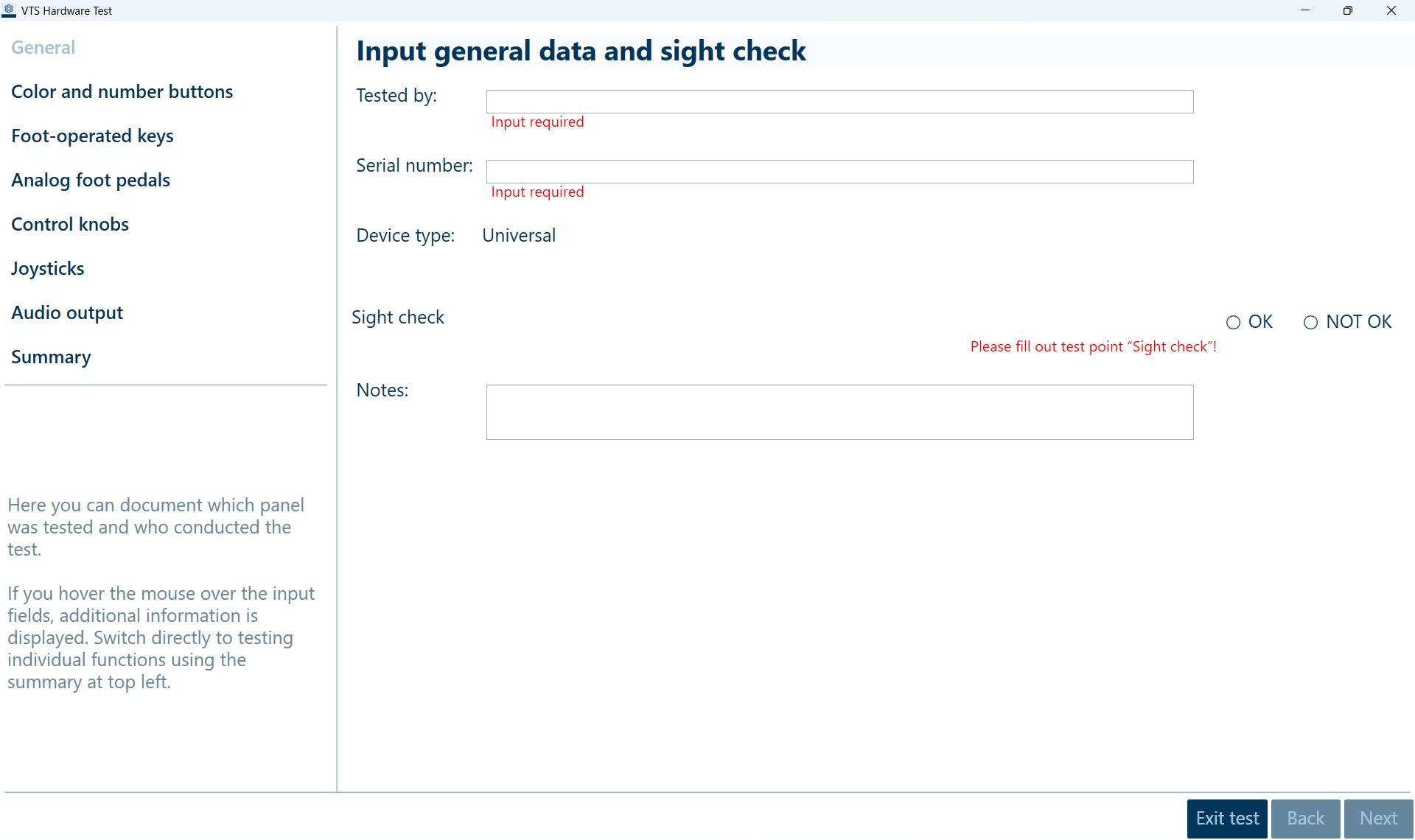
On the first page, you will be asked to document some general information about the test. Please indicate who is performing the test and the serial number of your panel. The sight check is intended to confirm that there are no obvious defects or damage to the panel (e.g., missing buttons, heavy soiling, etc.). Finally, there is also a text field where you can document any abnormalities.
Once you have completed all the points, click Next to proceed to the next page.
Color and number buttons
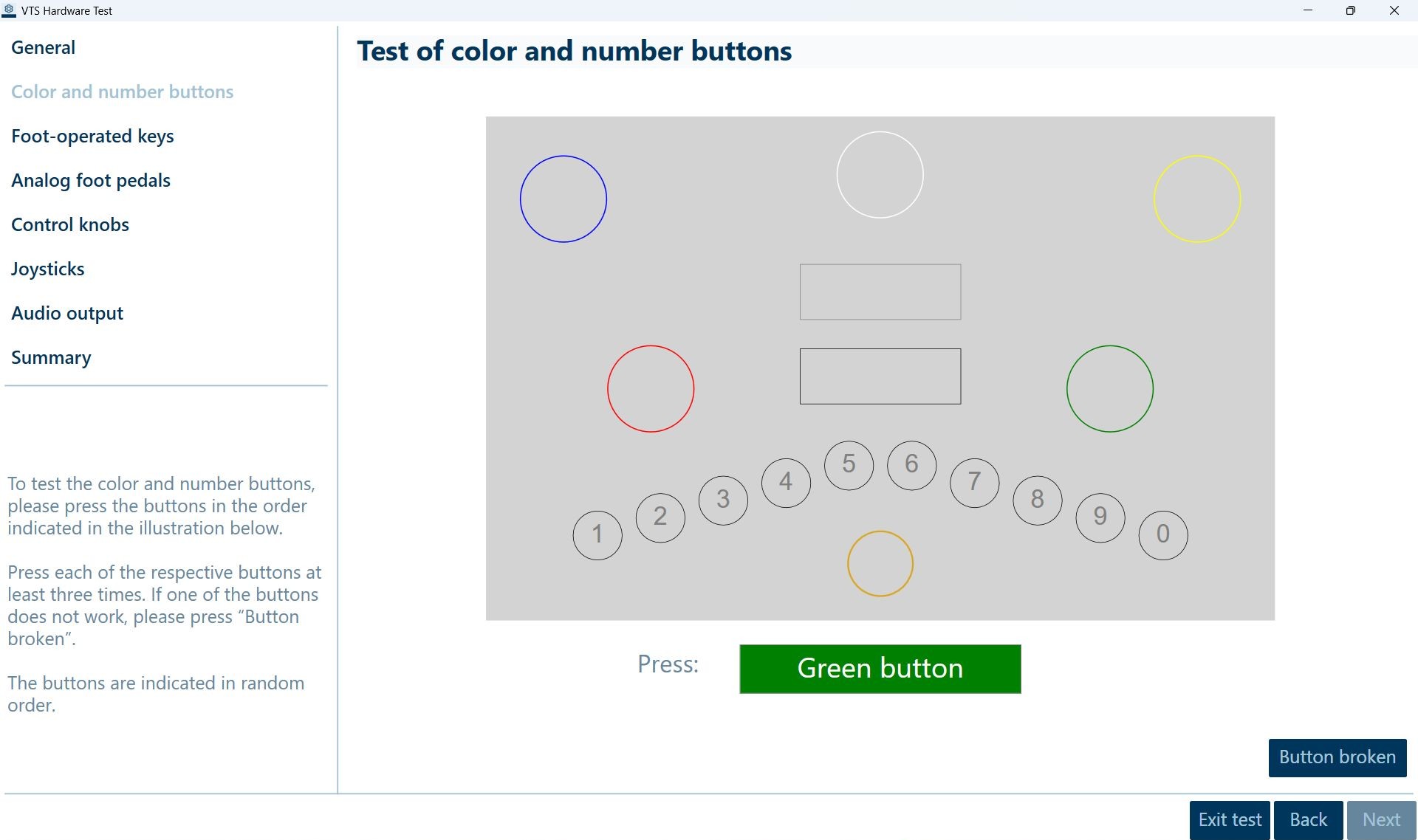
On the Color and number button page, you can check all color and number buttons as well as the golden area on the panel for functionality. Once you have completed the test, you can proceed to the next test point by clicking Next.
Foot operated keys and analog foot pedals
On these pages, you can test the proper functioning of the foot operated keys (required for tests DT and PP-R) and analog foot pedals (required for test SMK). If you do not have foot operated keys or analog foot pedals available, you can skip the respective test by selecting the Not available checkbox and proceed to the next test item.
Control knobs and joysticks
A Universal Panel (UH) is required for testing control knobs and joysticks. If your panel does not have any control knobs and/or joysticks, you can skip these tests by selecting Not available and proceed to the next item.
Audio output
Depending on the panel generation, the audio output can be tested either directly via the panel itself or via a connected USB audio output device.
Summary
This page summarizes the results of the VTS Hardware Test. For each test point, it indicates whether the test was performed (completely) and whether it was successful. In addition, this page allows you to save or print a results report as a PDF file.
The results of the VTS Hardware Test are not saved. Once you finish the test, the data collected up to that point will be deleted.
Troubleshooting
If a peripheral device isn’t functioning properly, try the following steps to locate and resolve the problem:
-
Disconnect the device and reconnect it
-
Restart Windows
-
Connect the device to a different USB port (the device driver may need to be reinstalled)
-
Disconnect other USB devices
-
Connect the device directly to the computer without a USB hub