
Intended use
The Vienna Test System is SCHUHFRIED GmbH's software solution for computer-based psychological assessment. Its areas of application range from individual assessments and tests in personnel psychology to clinical neuropsychology, traffic psychology, and sports psychology.
The Vienna Test System offers a wide portfolio of tests, including intelligence test batteries, special intelligence tests, ability tests, personality tests, and aptitude and interest tests. The tests are based on both classical and modern test theories and include adaptive and multimedia formats. They are designed to ensure the most comprehensive, fair, and valid psychological testing of a person.
The VTS consists of several components that can be used as needed, depending on the use case.
This page provides an overview of the functions and structure of the VTS, its different product variants, the required licenses and available purchasing options.
Product variants
The VTS administration software is available in two variants: the Vienna Test System online and the Vienna Test System offline.
Vienna Test System online
The Vienna Test System online (VTS online) is SCHUHFRIED's cloud-based solution. All you need to use VTS online is internet access. There is no need to install the administration software locally on your device. You can manage all functions of the VTS administration software in your browser. You can access your data and results at any time and from anywhere. VTS online can also be used via the browser on devices that do not run on Windows operating systems.
Thanks to the cloud-based infrastructure, you benefit from regular automatic updates of VTS. Your tests are therefore always up to date and feature the latest norms and functions. Your data is automatically backed up and protected in the best possible way on European servers. The infrastructure required for the efficient use of the VTS is provided via the cloud. You don’t need to worry about whether your devices meet the system requirements for the VTS. A stable internet connection is required to use the VTS online.
The VTS online is the ideal solution for users who want to administer efficient digital psychological assessments without any installation or maintenance costs.
A local software installation may also be necessary when using VTS online, for example, to administer tests that require additional input devices. In such cases, the Testplayer Client must be installed on the device used for testing. The Testplayer Client can only be installed on devices running the Windows operating system.
For VTS online two accounts with limited functionality are available free of charge: the demo version and VTS open.
VTS demo version
The demo version allows you to explore the Vienna Test System free of charge before purchasing it. The VTS demo version contains selected content for demonstration purposes and does not provide the full functionality of VTS.
You can try basic VTS online functionality, including selected non-premium features and settings. Selected SFS tests are available in demo mode, allowing you to view test instructions and experience the testing workflow. Demo results are also available so you can explore how results are presented.
You can register for the demo version directly on the VTS online login page. If you decide to continue using VTS, you can upgrade to a paid VTS online environment with full functionality on our marketplace.
VTS open
VTS open allows you to use Open Access Tests free of charge. VTS open is available for one year and can be renewed for another year after expiration.
-
Only Open Access Tests can be carried out
-
You can only store 10 test results.
-
Testing is no longer possible if 10 test results are stored (you need to delete the stored results first to continue testing)
-
Selected SFS tests are available in demo mode.
-
VTS open is available to anyone with the necessary expertise to select, administer, score, and interpret psychometric Tests.
You can register for VTS open here: https://www.schuhfried.com/en/vts-open/. If you decide that you want to continue using VTS with the full functionality, you can upgrade from VTS open to a paid environment on our marketplace.
Vienna Test System offline
The VTS is also available as an on-premise solution (Vienna Test System offline). With this option, you receive an installation package that includes a specific VTS version. This allows you to install the VTS locally on your PC or server system. This means that the VTS is offline and linked to your local technical infrastructure and can only be run on the licensed devices. The VTS offline is only compatible with Windows operating systems.
Since all program components are installed on your devices, you always have full control over your data. However, depending on your specific use case, you must ensure that your devices' performance and configuration are suitable for the intended use. The VTS offline can also be used without an active internet connection.
VTS offline also has the ability to communicate with other software via interfaces. Provided that the external software supports the appropriate communication protocols, persons can be created in the VTS and test results can be retrieved via the external software, for example. More detailed information can be found on the page: Integration.
Comparison of product variants
If you would like to find out which of the two variants best suits your needs, please see comparison below:
|
Function |
VTS online |
VTS offline |
|---|---|---|
|
Browser-based use of the VTS administration software (without local installation) |
|
|
|
Cloud-based infrastructure (data backup, computing power) |
|
|
|
Completely local data storage on your infrastructure (on-premise solution) |
|
|
|
Automatic updates |
|
|
|
Free updates |
|
|
|
System requirements of the VTS must be met |
|
|
|
Use of the VTS on operating systems other than Windows |
|
|
|
Online testing via email invitation |
|
|
|
Internet connection required |
|
|
|
Report generation |
|
|
|
|
|
|
|
VTS Analytics |
|
|
|
Interfaces for communication with other software (e.g., GDT, HL7, online a REST API is available) |
|
|
1 This depends on the desired application. If the tests you want to use require SCHUHFRIED hardware it is necessary to install an application (VTS Testplayer) on the PC used for testing. This application only works on Windows PCs and certain requirements must be met. Please consult the page: System requirements for additional information.
2 Online testing is only possible in VTS offline if the technical requirements are met (e.g., correct network configuration).
Premium features
Selected VTS functions are available as separately licensed premium features. Premium features are licensed for 12 months, then the license needs to be renewed.
If you do not posses the license for a premium feature, the feature is marked with an icon and cannot be used. You need to purchase the license for the corresponding premium feature then the feature is unlocked.
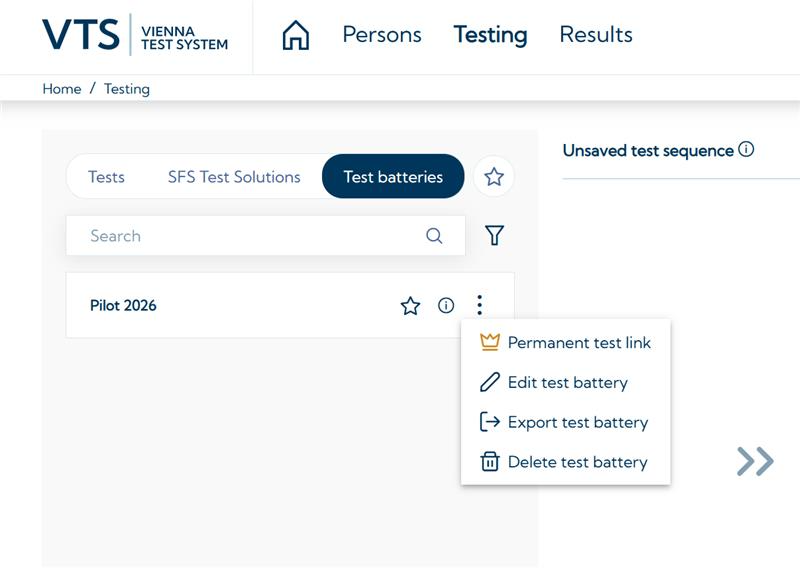
The following premium features are currently available:
-
VTS Direct Start: Includes Permanent test links and Direct Testing for group or mass testing applications.
-
VTS Analytics: Includes VTS Analytics for automated analyses, interactive visualizations, and statistical comparisons. This premium feature is only available in VTS online!
For more information about available premium features, please visit the marketplace.
How do I get started with VTS?
-
You can try VTS free of charge. On the homepage of VTS online, you can register for a demo account and experience the VTS administration software with a selection of tests from the SCHUHFRIED Selection. When you take the tests, however, only the instructions are presented, not the test items.
-
The VTS administration software, licenses for the tests and, if required, our hardware can be purchased via the Marketplace.
Structure and program components
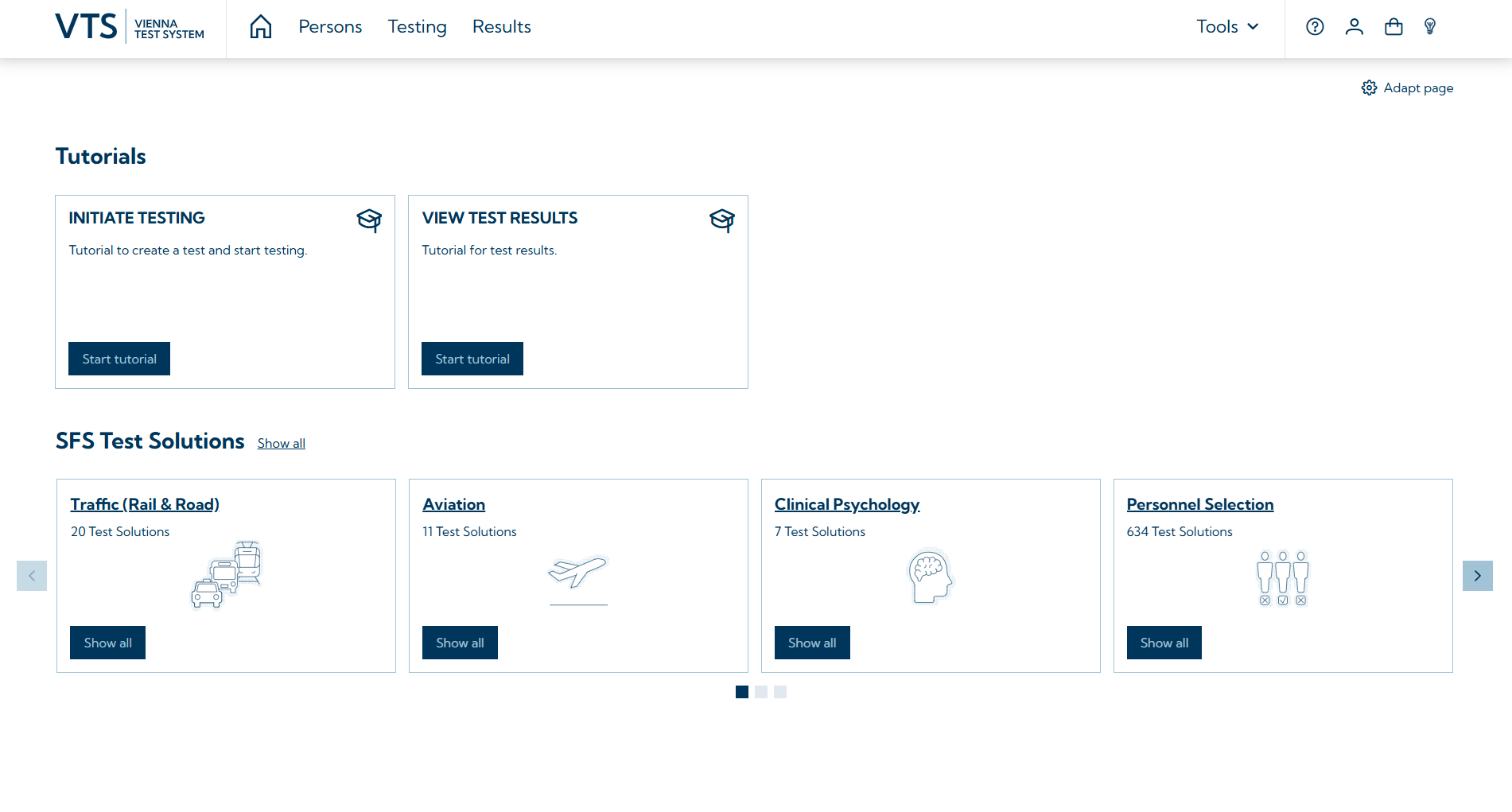
The VTS consists of the VTS administration software, which is required for test presentation and the management of persons, test results, settings, and licenses. The administration software also manages VTS users (adding/removing users, managing rights). Provided that the appropriate licenses are available, testing can be started, and persons can be invited for testing directly from within the administration software.
-
Managing test takers: Creating new persons (either manually or via import), updating personal data, deleting persons → Persons page in the administration software. For more details see: Person management.
-
Presenting tests: Selecting individual tests and configuring them (selecting test forms / subtests / scales), creating test batteries, assigning tests / test batteries to persons, initiating testing sessions or generating invitation links for testing in open mode or proctored mode → Testing page in the administration software- For more details see: Testing.
-
Viewing results: Opening individual or multiple results, exporting results (PDF, .csv, VTS-format), creating reports → Results page in the administration software. For more information see: Results management.
-
VTS Tools: Create your own tests using the Test Generator, maintain control over active testings using the Progress Monitor and perform further analyses of the test results in VTS Analytics.
-
SFS Tests Solutions: Find easy-to-use, predefined test batteries for a variety of use cases and diagnostic question in the SFS Test Solutions.
-
Managing settings: Configuring test administration and scoring (e.g., generating and creating Word reports), as well as setting up email options for sending invitation links. For more information see: Settings.